NetSuite 2025.1 – A look at our top 10 features

Sophie Lowe
February 25, 2025
With 48% of CFOs ranking efficiency and productivity as their top internal risk—even more than strategy execution, AI adoption, and hiring and retention—the NetSuite 2025.1 release promises process boosts that enable you to work smarter and do more with less.
Delivering improved AI capabilities, more automation, and an even greater degree of financial management, you’ll enjoy slicker operational workflows and achieve better efficiency than ever before.
As we continue to support our NetSuite clients in getting the best from their system, we turned to Rory Munro, our expert NetSuite Solution Consultant, to share his Top 10 features from the release.
1. Bill Capture (UK Customers)
A major update for UK customers, Bill Capture’s invoice-scanning solution is now available for those using SuiteTax. Streamlining supplier bill processing, it uses automation to reduce manual data entry, speed up approvals, and detect duplicates. By enabling this in your system, you can enjoy:
- Increased Accuracy: Automation reduces errors in manually re-keying invoice information, improving overall data accuracy.
- Faster Invoice Approvals: Bill Capture accelerates the invoice approval process, benefiting your accounts payable department.
Already enhanced thanks to feedback from users elsewhere, UK customers can take advantage of this release’s improvements to usability and traceability for an even more effective solution.
2. Embedded AI Enhancements
As NetSuite themselves say, they are ‘infusing AI into everything we do to help our customers get even more out of the suite.’
With this update, the embedded AI capabilities are more powerful than ever, and offer these features:
- Narrative Reporting: For customers using EPM, AI-generated narratives and explanations of both financial and transactional data show trends, variances and comparisons, saving you time in preparing reports.
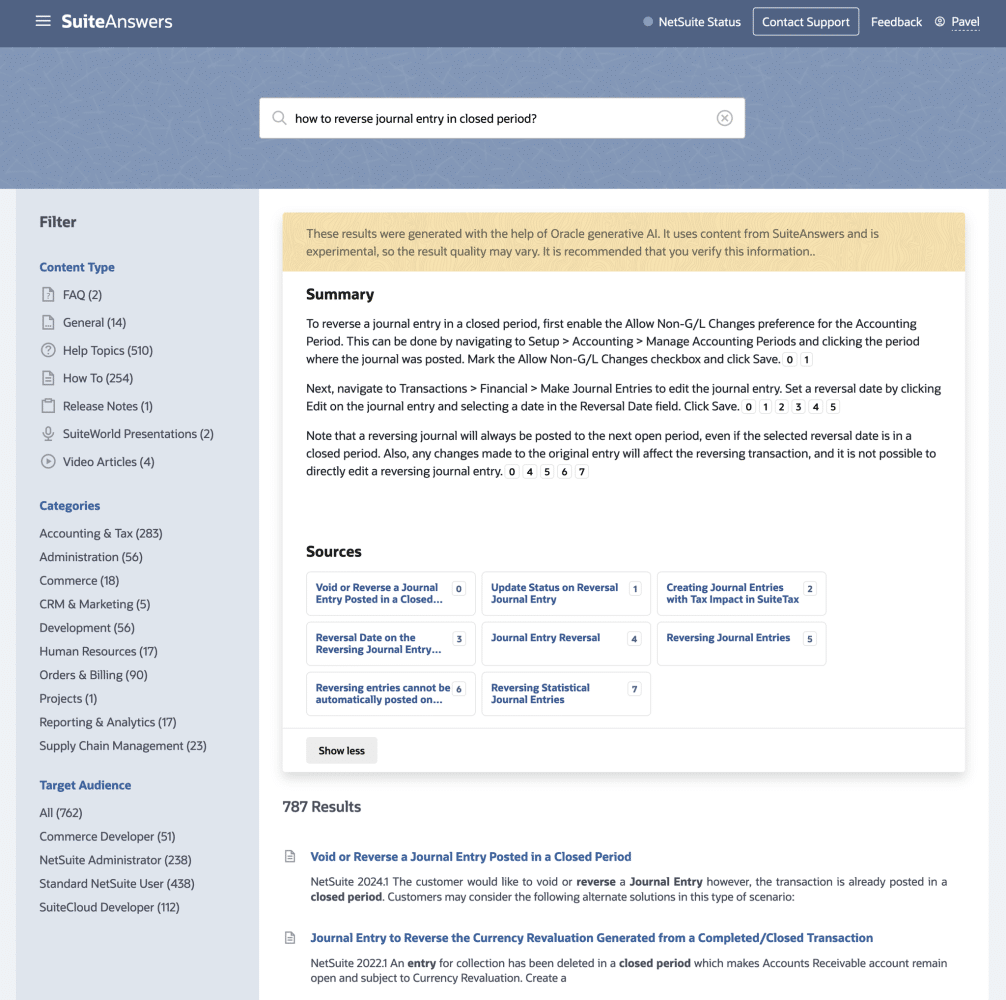
- Enhanced SuiteAnswers AI: Using Oracle Cloud Infrastructure (OCI) to deliver powerful capabilities, NetSuite Expert for SuiteAnswers provides smarter, more specific responses, helping you find what you need faster and without having to access multiple documents.
- AI-Based Text Enhancements: New tools, like Prompt Studio and AI Preference Updates, further improve your NetSuite experience by personalising responses to both your preferences and the context of the request.
3. New Import Capabilities
NetSuite now supports additional CSV import record types, including:
- Item Receipts
- Item Fulfilments
This expansion streamlines data import processes, making it easier to manage your records directly from CSV files.
4. SuiteBilling Enhancements
The SuiteBilling module sees several key improvements designed to refine subscription billing processes and increase precision in financial tracking.
New features include:
- Annual Recurring Revenue (ARR) Analytics & Dashboard: Add ARR tracking to your existing MRR reports for deeper insight.
- Invoice & Allocate Before Activation: Bill for hardware and services even before software activation.
- Pooled Usage Pricing: Bill monthly, but price annually for more flexible pricing models.
- Higher Decimal Precision for Uplift Pricing: Improve the accuracy of percentage-based price increases with enhanced decimal precision.
5. Customer 360 Enhancements
These updates combine financial, transaction history and all interactions into a single dashboard, providing a holistic view of each customer, leading to better insights, better decision making and better customer service.
- Expanded Recent Activities: Now track more transaction types, including purchase orders, refunds, and work orders.
- Sales Performance Metrics: Compare sales this year vs. last year, and track customer lifetime value.
- New Opportunities & Estimates Tab: Track projected and weighted totals, plus opportunities won for better forecasting.
- New Orders & Returns Tab: Filter orders by type/status for more granular tracking.
6. Redwood UI Enhancements
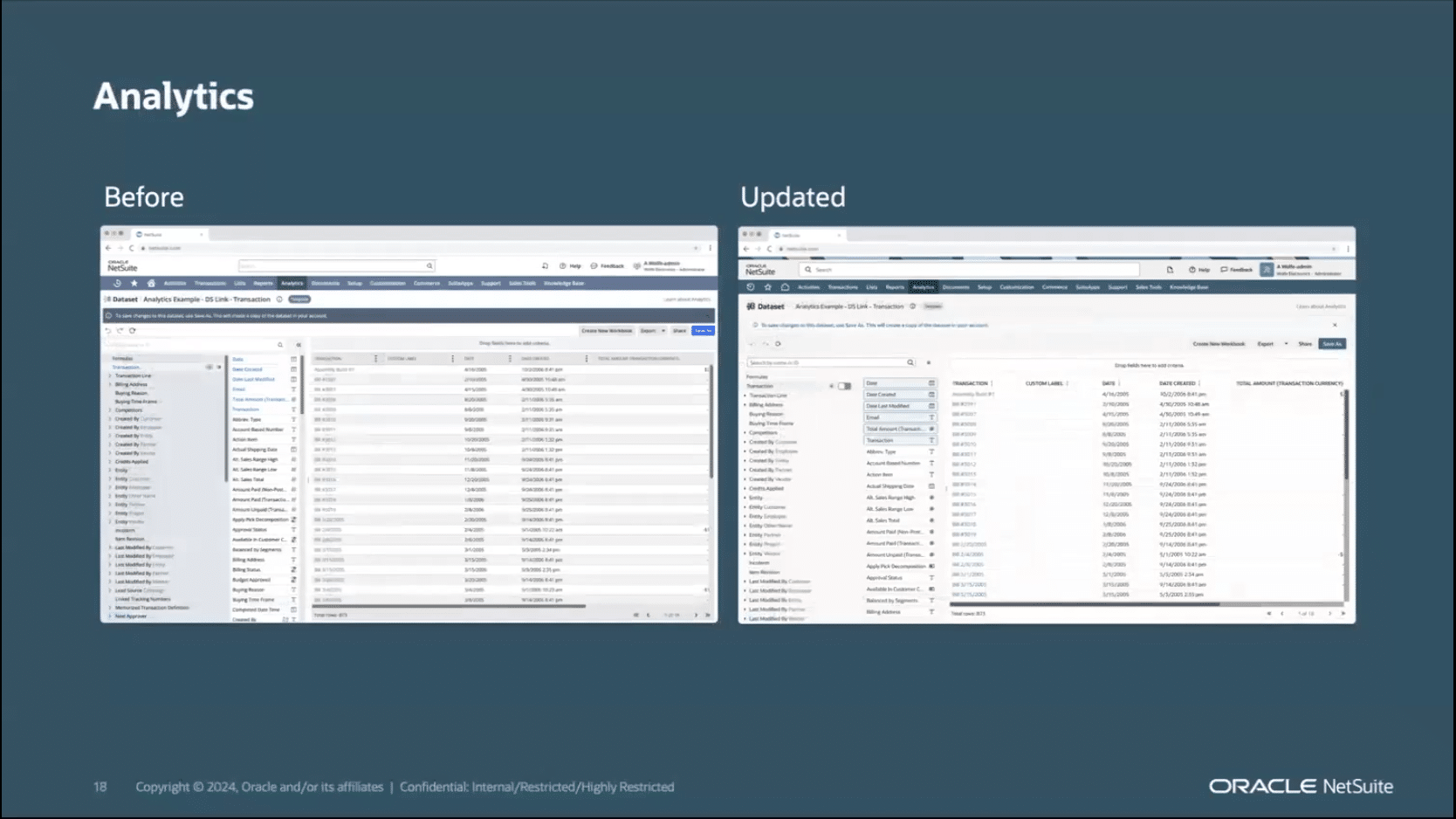
More than just good looks, the Redwood User Interface continues to evolve, for a cleaner, more intuitive, user experience:
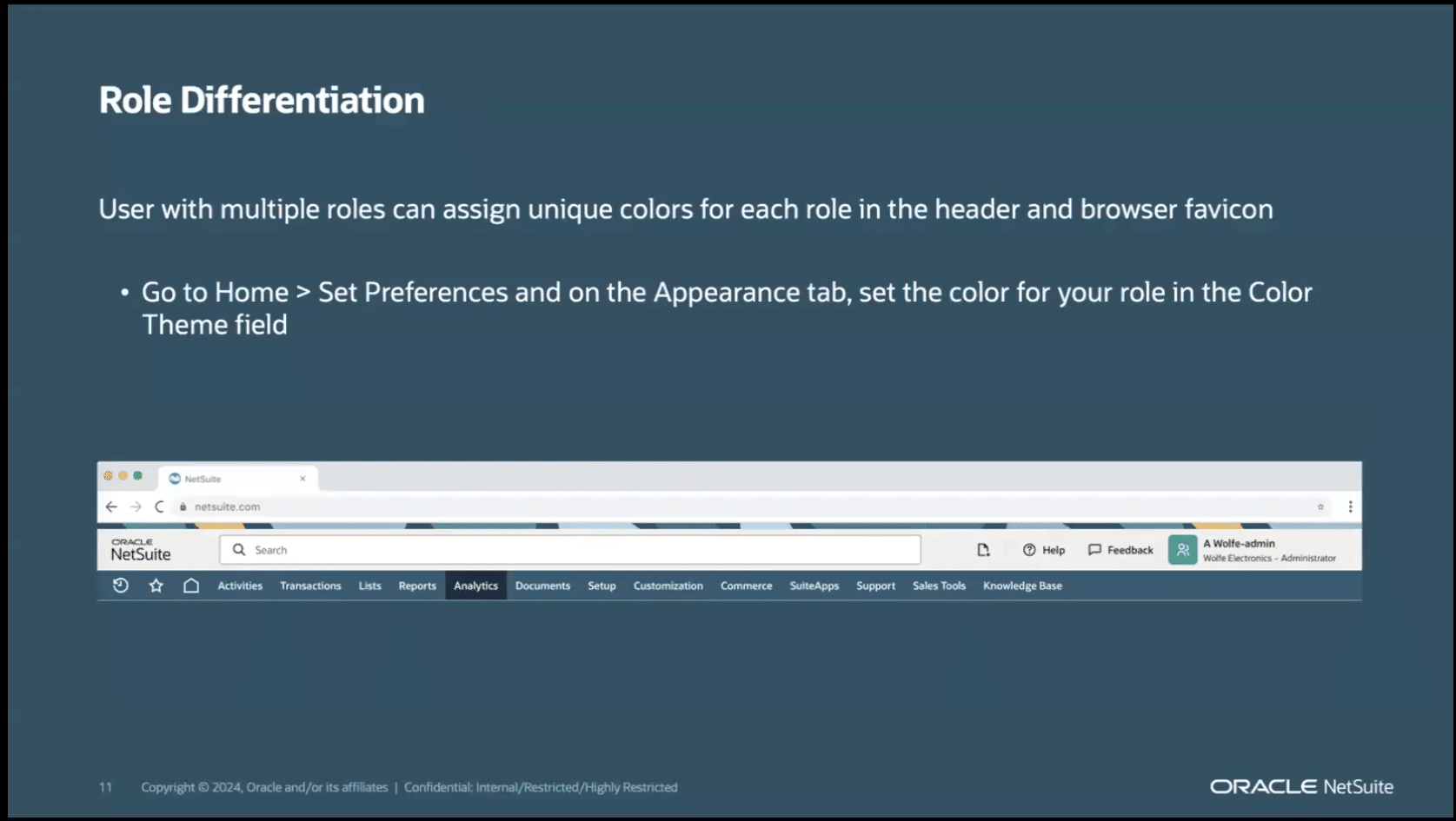
- Additional Colour Themes: New options to personalise the interface to match your preferences.
- Activity-Based Recommendations: Receive helpful messages based on your activity within NetSuite. For example, the enhanced Customer 360 dashboard includes an AI-powered Item Recommendation portlet, offering personalised product suggestions to users.
- Expansion to More Features: More NetSuite pages, portlets, and features are now supported in the updated UI design.

7. SuiteAnalytics Enhancements
NetSuite continues to improve data access and reporting capabilities with:
- Individual Report Distribution: Reports can now be sent to individuals, replacing the previous group-wide email approach.
- New HTML Formulas in Search Features: Enhanced customisation and security for saved searches, offering more control over reporting.
8. Fixed Asset Management Enhancements
Updates to the Fixed Asset Management module make it more user-friendly and efficient, including:
- Redesigned System Setup Page for Redwood UI: A refreshed setup page that enhances usability.
- Mid-Life Leases Support: Now users can enter leases initiated outside of NetSuite, improving flexibility in lease management and ensuring no duplication during import.
9. Supplier Filter on Supply Planning Workbench
Supply chain management just got easier with an added filter on the Supply Planning Workbench:
- Supplier Filtering Option: Filter planning results by supplier, improving visibility and decision-making throughout the supply chain.
10. Quality Management Enhancements
The Quality Management module now includes powerful updates to streamline your quality processes:
- New Statistical Sampling Feature: Target inspections based on item, volume, or transaction type for more efficient checks.
- Improved Return Authorisation Workflow: Automatically generate return authorisations for non-compliant items found during quality checks.
- Process & Visibility Enhancements: Access inventory details directly from inspection queues for better tracking and decision-making.
What’s next?
The NetSuite 2025.1 release will be deployed from February to April, with the bi-annual software updates providing the latest features, enhancements, and security improvements.
These regular updates provide NetSuite users with a disruption-free way of enabling new technologies being built into the platform, so they can keep business ticking along – one of the true benefits of choosing a cloud-based ERP.
We hope you start to benefit from these features over the coming months. If you think there’s more you can get from your system, we’d love to discuss your options.
Alternatively, if you find yourself currently using a legacy system and see the potential benefits of adopting NetSuite with its semi-annual updates, we encourage you to reach out.
For further details, please feel free to get in touch with Richard Christie, our Business Systems Specialist, at 01355581960 or via email at richard.christie@eurekasolutions.co.uk
